Setting up a Student Email Account in Apple Mail on macOS (Alternative Email System)
Important notes:
To set up an email account, you must have a valid user account (BA number + corresponding password).
We recommend using only the Mail app, as the Notes app often does not work properly with this account. Therefore, you should uncheck this box.
Add an email account
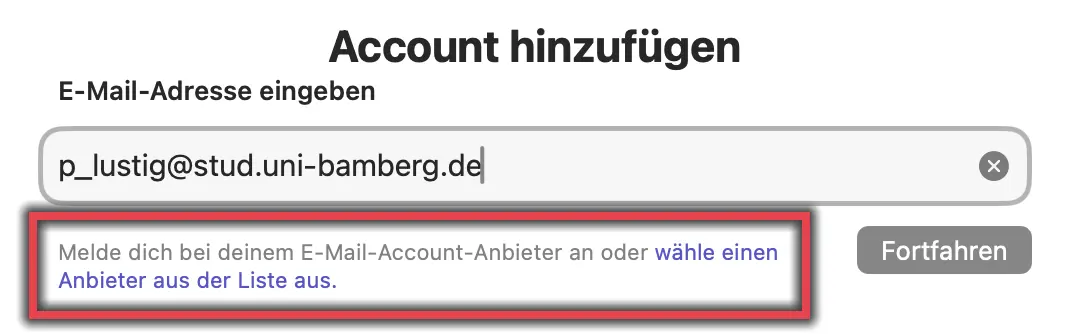
Figure 1: Enter email address
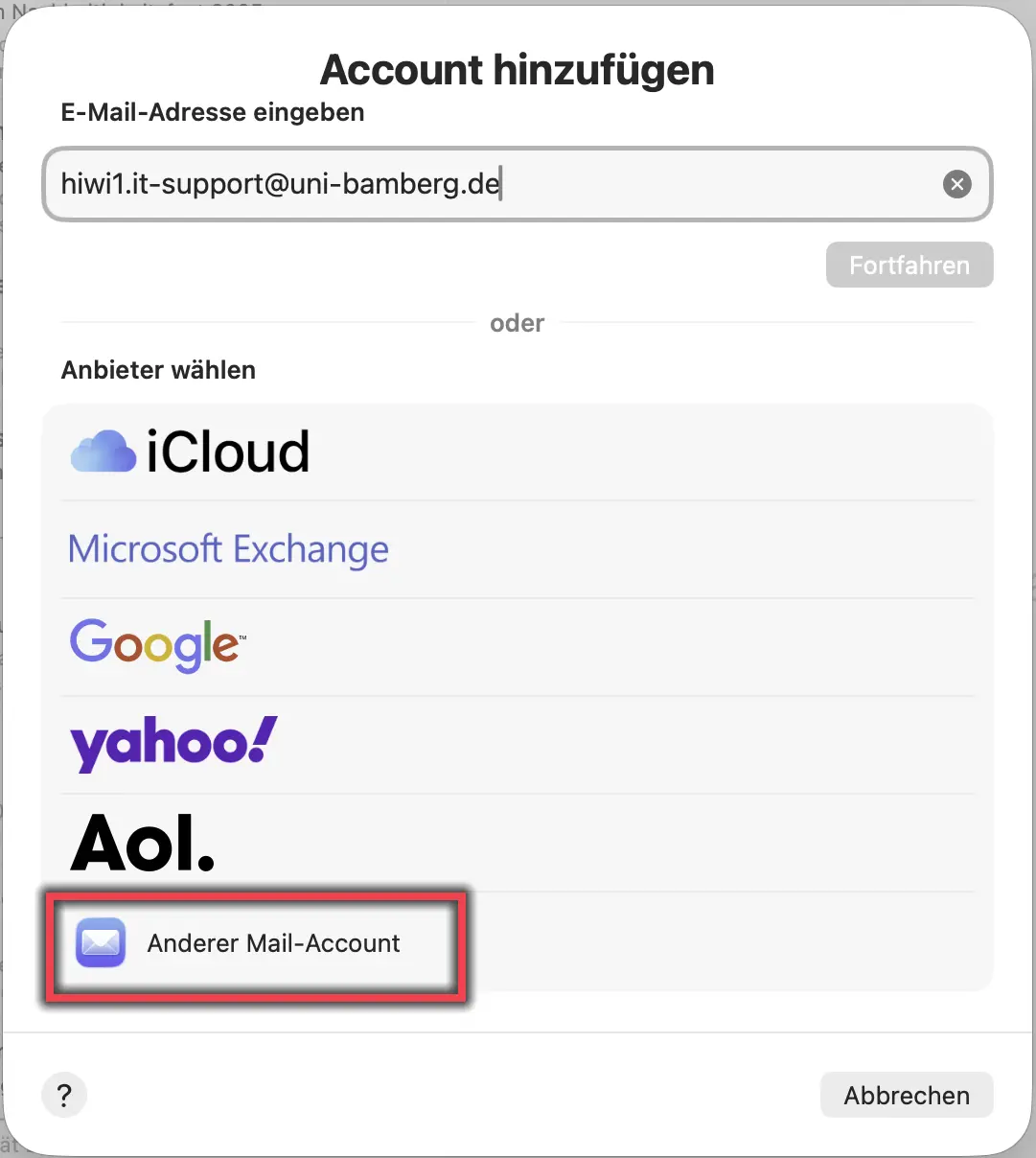
Figure 2: Provider: Other Email Account
Launch Apple Mail, then go to the Mail menu and select Add Account… .
In the window that appears, enter your university email address and click to select a provider from the list.
Select the Other Mail Account… option and click Continue.
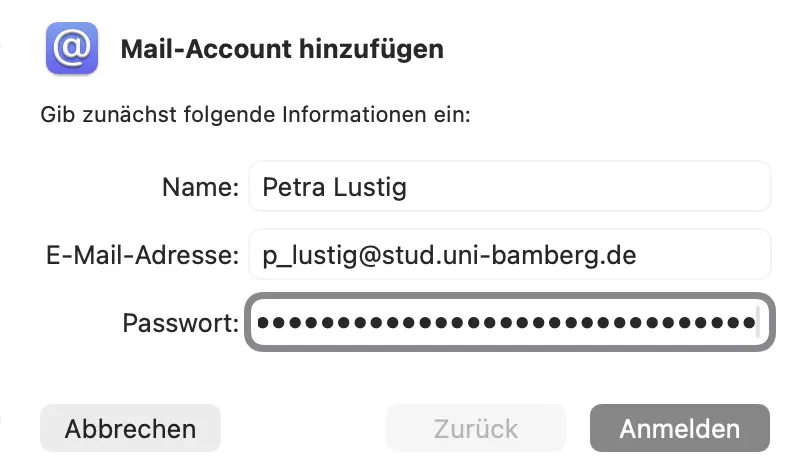
Abbildung 3: Mail-Account hinzufügen
Please fill out the window that has now appeared as follows:
Name: Your first and last name
E-Mail-Adress: should already be entered
Password: Password from the IAM portal under the Self-Service Email App Password
Then click Sign In.
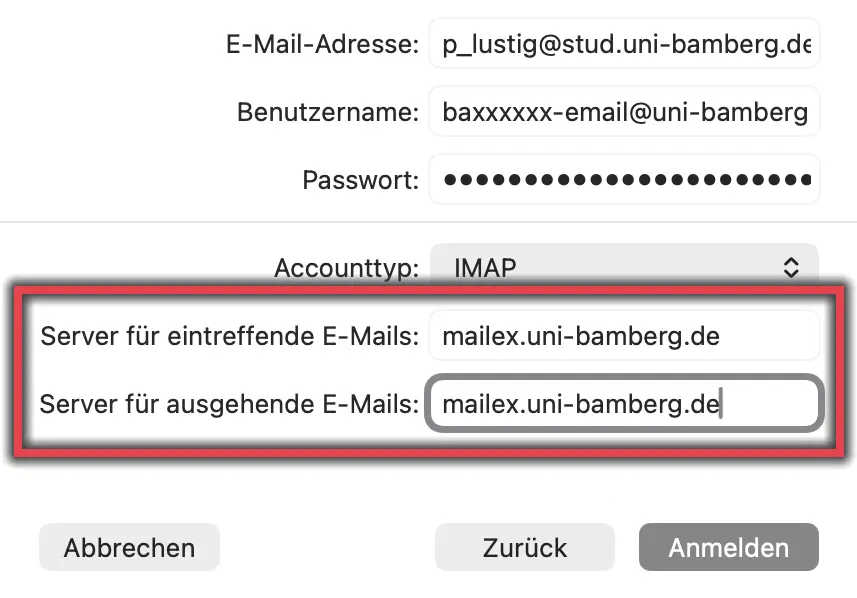
Figure 4: Email Account Configuration
Please fill out the window that has now appeared as follows:
E-Mail-Adress: Your university email address
Username: Your BA number followed by -email@uni-bamberg.de
Example: baxxxxx-email@uni-bamberg.de
Password: Password from the IAM-Portal under the Self-Service Email App Password
Account type: IMAP
Incoming email server: mailex.uni-bamberg.de
Outgoing email server: mailex.uni-bamberg.de
Then click Sign In.
In the final step, you will be asked which programs you would like to use with your Mailex account. Finally, click the Done button.
[Translate to English:] Abbildung 5: Servereinstellungen unter Accounteinstellungen
Nachdem das Postfach hinzugefügt wurde, ?ffnen Sie erneut die Accounteinstellungen, w?hlen das Postfach aus und klicken auf den Reiter Servereinstellungen.
Entfernen Sie die Haken bei Verbindungseinstellungen automatisch verwalten.
Passen Sie den Benutzernamen beim E-Mail-Ausgangsserver (SMTP) an. Hier darf nur Ihre BA-Nummer mit dem Zusatz -email stehen.
Beispiel: baxxxxx-email
Stellen Sie sicher, das bei Authentifizierung Passwort ausgew?hlt ist und klicken sie abschlie?end auf Sichern.
Abbildung 5 zeigt die Servereinstellungen in den Accounteinstellungen.
![[Translate to English:] Ansicht Servereinstellungen unter Accounteinstellungen](/fileadmin/_processed_/7/3/csm_stud-mac-mail-konfig_f95c0788b7.webp "[Translate to English:] Servereinstellungen unter Accounteinstellungen")