Set up a student email account using an alternative email system on iOS
Important notes:
To set up an email account, you must have a valid user account (BA number + corresponding password).
These instructions apply to iOS 14 and later. Please note that the interface may look different in other versions.
Adding an email account
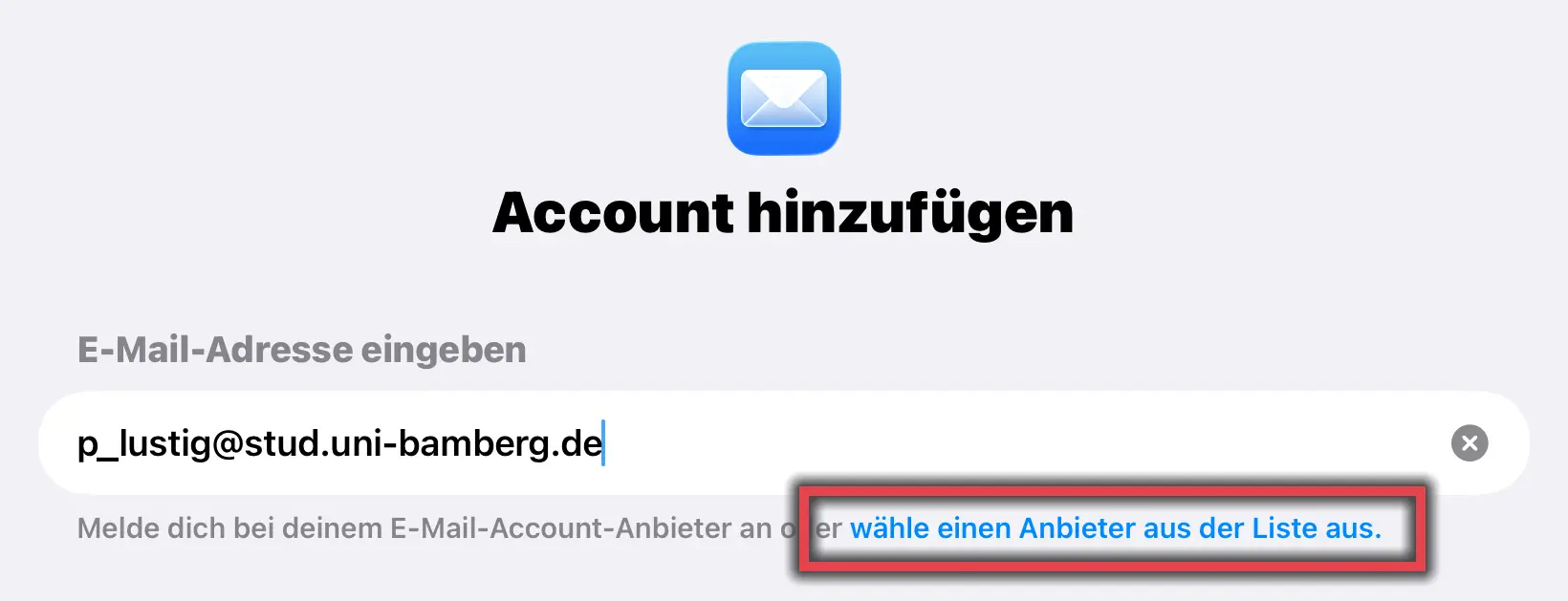
Figure 1: Add Account
Go to the Mail > Accounts menu item via Settings.
Then tap Select a provider from the list.
Select Other provider here.
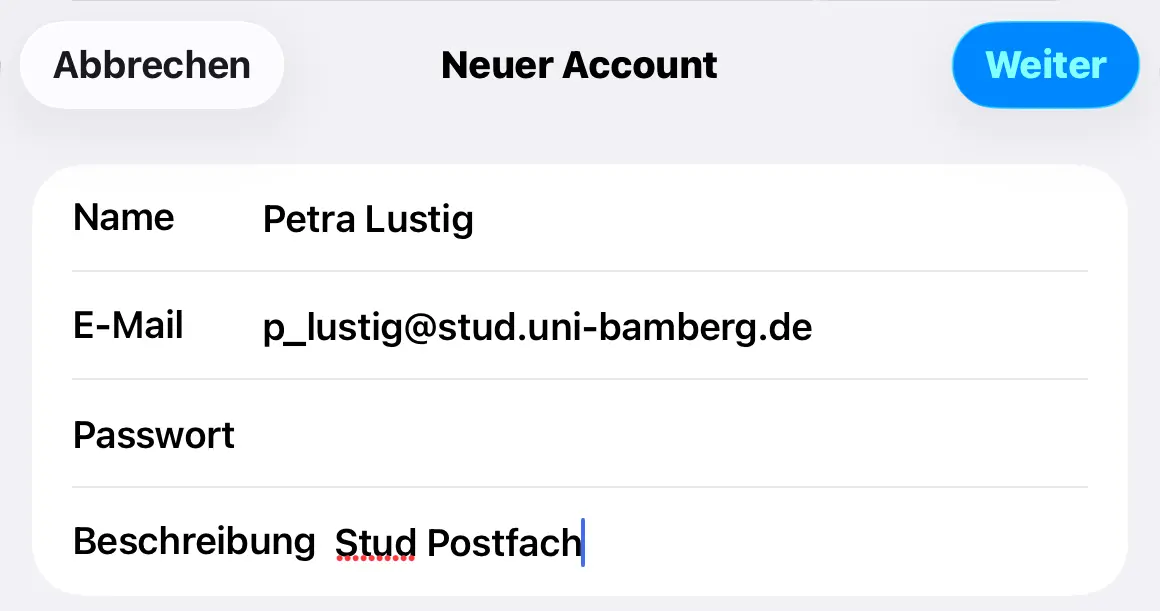
Figure 2: Setting up a student email account
After tapping Add Account, select Other as the account type and then Add Mail Account in the next step. You will then be asked for your login credentials. Fill out the first window as follows:
Name: Your first and last name
E-Mail: Your university email address
Password: Password from the IAM-Portal under the Self-Service Email App Password
Description: Any, for example, the University of Bamberg
To continue, tap Next.
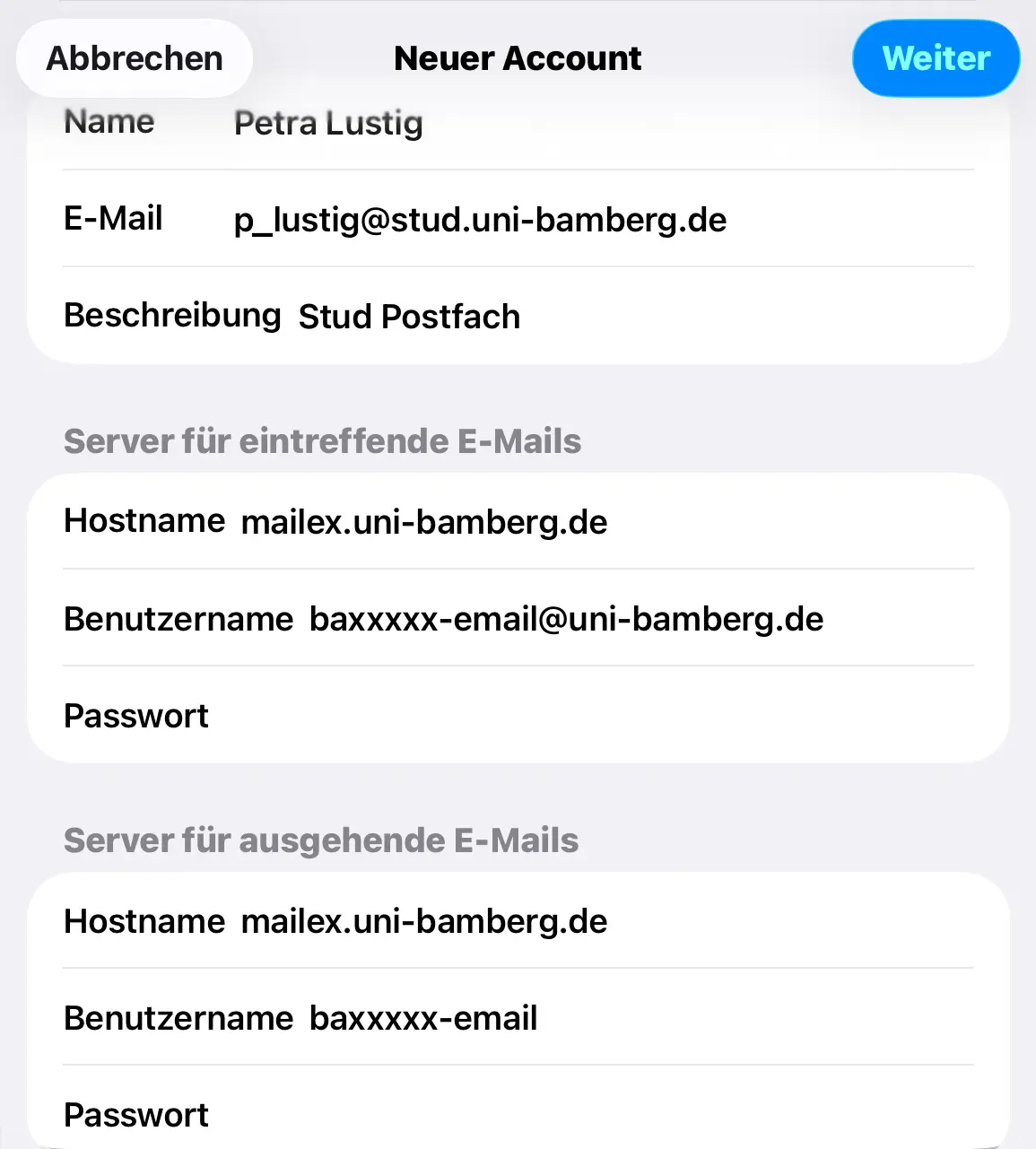
Figure 3: Setting up a mailbox configuration for an alternative email system
In the second step, you'll need to configure the mailbox settings. Select IMAP as the account type. Then please enter the following information:
Name: Your first and last name
E-Mail: Your university email address
Description: Any, for example, the University of Bamberg
Incoming mail server:
Hostname: mailex.uni-bamberg.de
Username: Your BA number followed by -email@uni-bamberg.de
Example: baxxxxxx-email@uni-bamberg.de
Password: Password from the IAM-Portal under the Self-Service Email App Password
Outgoing mail server:
Hostname: mailex.uni-bamberg.de
Username: Your BA number followed by -email
Example: baxxxxxx-email
Password: Password from the IAM portal under the Self-Service Email App Password
To continue, tap Next.
Finally, you will be asked which services you would like to use with the email account you just set up. However, with an account set up as IMAP, you can only use the Mail option. Tap the Save button to save your email account; you’ll find it in the Mail app.