Setting up a Student Email Account on Android (Alternative Email System)
Important notes:
To set up an email account, you must have a valid user account (BA number + corresponding password).
These instructions apply to Android version 13.0 and later; we cannot provide support for earlier versions of Android. The setup process and screenshots for other Android versions may therefore differ from the procedure described here. If you are unsure about the setup, please make only the settings listed below and leave other options as they are set by default on your system.
Adding an email account
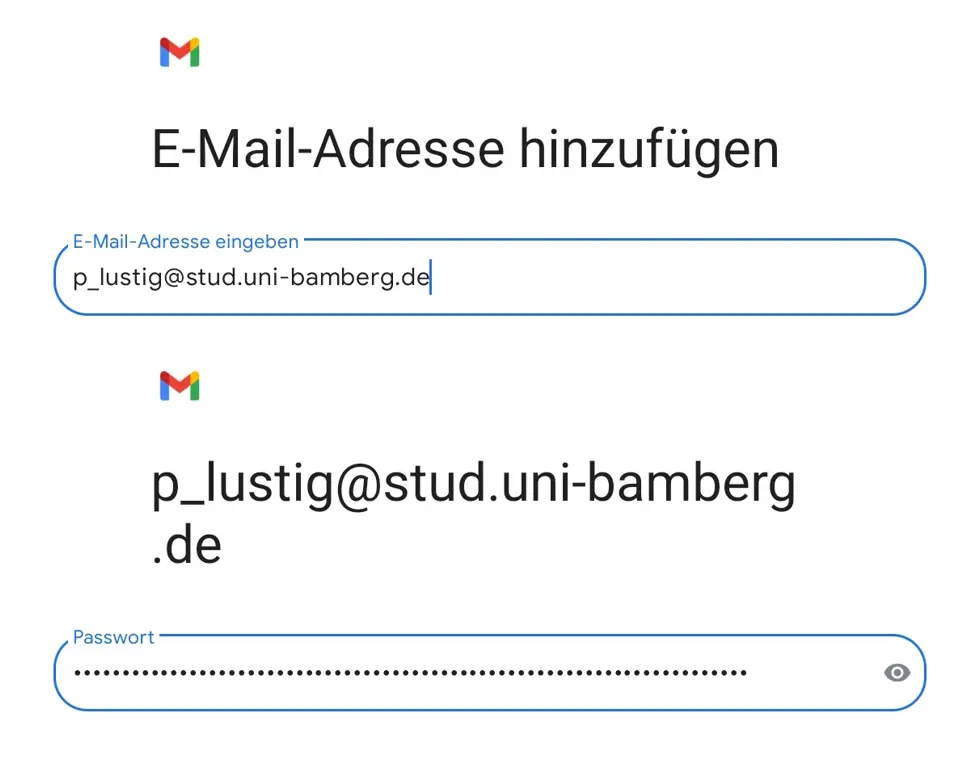
Figure 1: Entering your email address and password
After adding a new account in the email app, select Other. Now enter the student email address you want to connect and the password from the IAM portal under SelfService Email App Password.
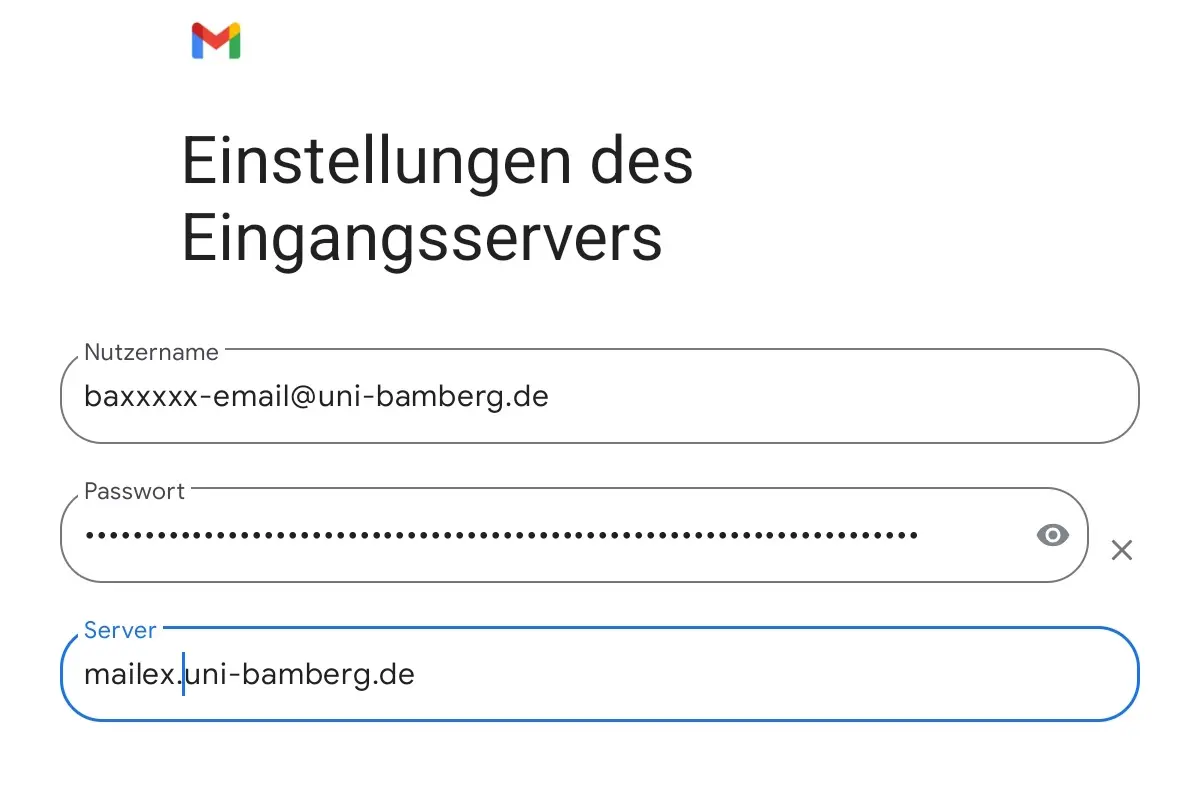
Abbildung 2: Posteingangsserver Konfiguration
Tap Next, and on the next page, select IMAP as the account type. On the following page, please enter the following information for the incoming mail server.
Username: baxxxxxx-email@uni-bamberg.de
Password: Password from the IAM-Portal under the SelfService Email App Password (transferred automatically)
Server: mailex.uni-bamberg.de
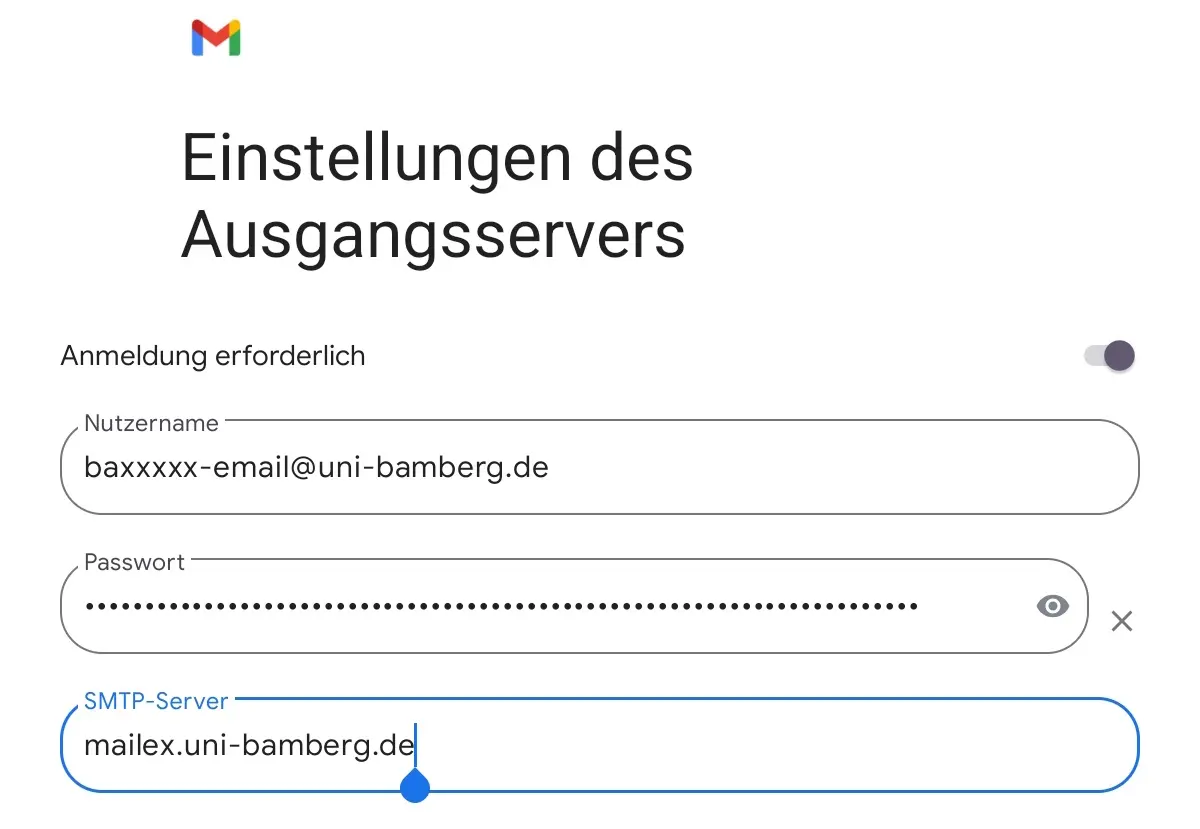
Figure 3: Outgoing Mail Server Configuration
Tap Next. On the next page, please enter the following information for the outgoing mail server.
Username: baxxxxxx-email Password: Password from the IAM-Portal under the Self-Service Email App Password Server: mailex.uni-bamberg.de